![VERSO_Logo-1.png]](https://helpdesk.verso.de/hs-fs/hubfs/Globale%20Design-Elemente/VERSO_Logo-1.png?height=50&name=VERSO_Logo-1.png)
The Accounting tab allows you to create a report for calculating a company's emissions, or to view and continue editing an already existing report.
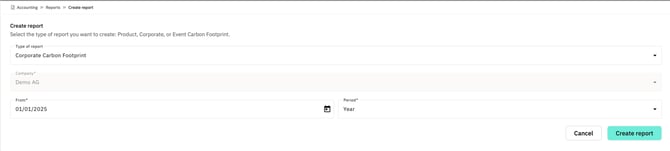
To create a new report, first click the plus button at the end of the table. In the Type of reportfield, select Corporate Carbon Footprint. The company will be filled in automatically. Then, define the desired reference period within which the input data will be recorded and used for the calculation, and select the appropriate granularity (e.g. year) in the Period field. Clicking the Create Report button will create the report, which will then appear directly in the report overview.
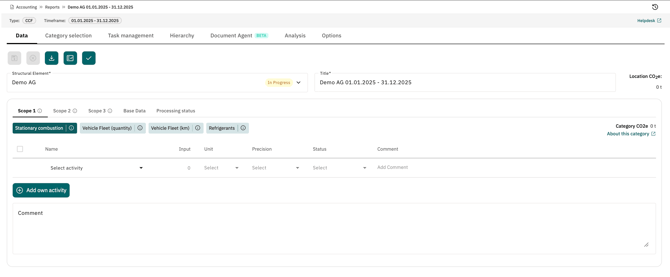
Here, the user now sees the reporting year, the company's site hierarchy as a drop-down menu, and the five tabs Scope 1, Scope 2, Scope 3, Base and Editing Status as the input form for entering the company data.