![VERSO_Logo-1.png]](https://helpdesk.verso.de/hs-fs/hubfs/Globale%20Design-Elemente/VERSO_Logo-1.png?height=50&name=VERSO_Logo-1.png)
After entering all data, the report can be finalized by clicking the checkmark icon. Once finalized, the report can no longer be edited and its status changes to “Published”.
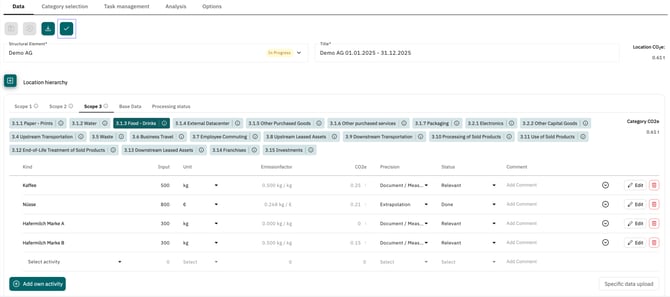
Important: If you finalise the report for a parent structural element, this will also finalize all reports of the subordinate structural elements.
Plausibility check upon finalisation
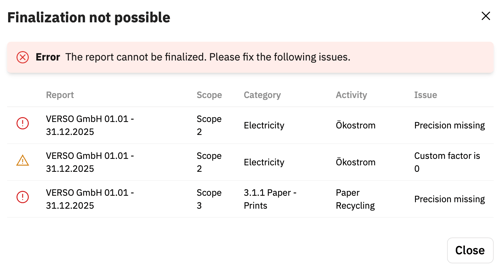
When finalizing a report, a plausibility check is performed first. This check verifies whether emission factors have a value of 0 or whether accuracy values are missing for individual entries.
The report can only be finalized once all accuracy values have been entered:
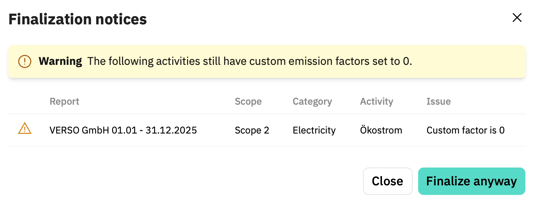
However, since an emission factor may intentionally be 0, the report can still be finalized in this case.
Reopen report for editing
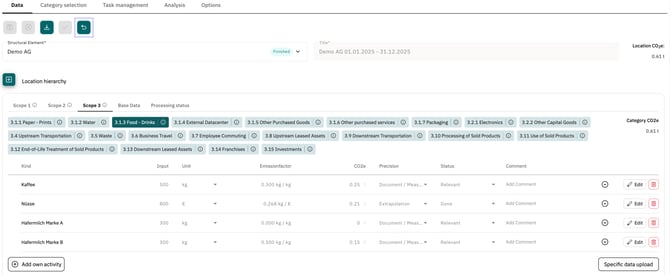
If changes are required afterwards, the report can be reopened for editing by clicking the Undo button.
Important: The “Finalise report” function is available only to administrators.