
The Analysis tab contains three tabs: Life cycle stages, Structural elements and Balance. They allow the PCF to be viewed from different angles.
Life cycle stages:
The analysis by life cycle stage shows in which phase the product causes the highest emissions. This can be helpful in defining and implementing targeted measures to reduce emissions. Depending on your selected system boundary, either the two phases of raw material acquisition and production (cradle-to-gate) or all five phases (cradle-to-grave) are shown here.
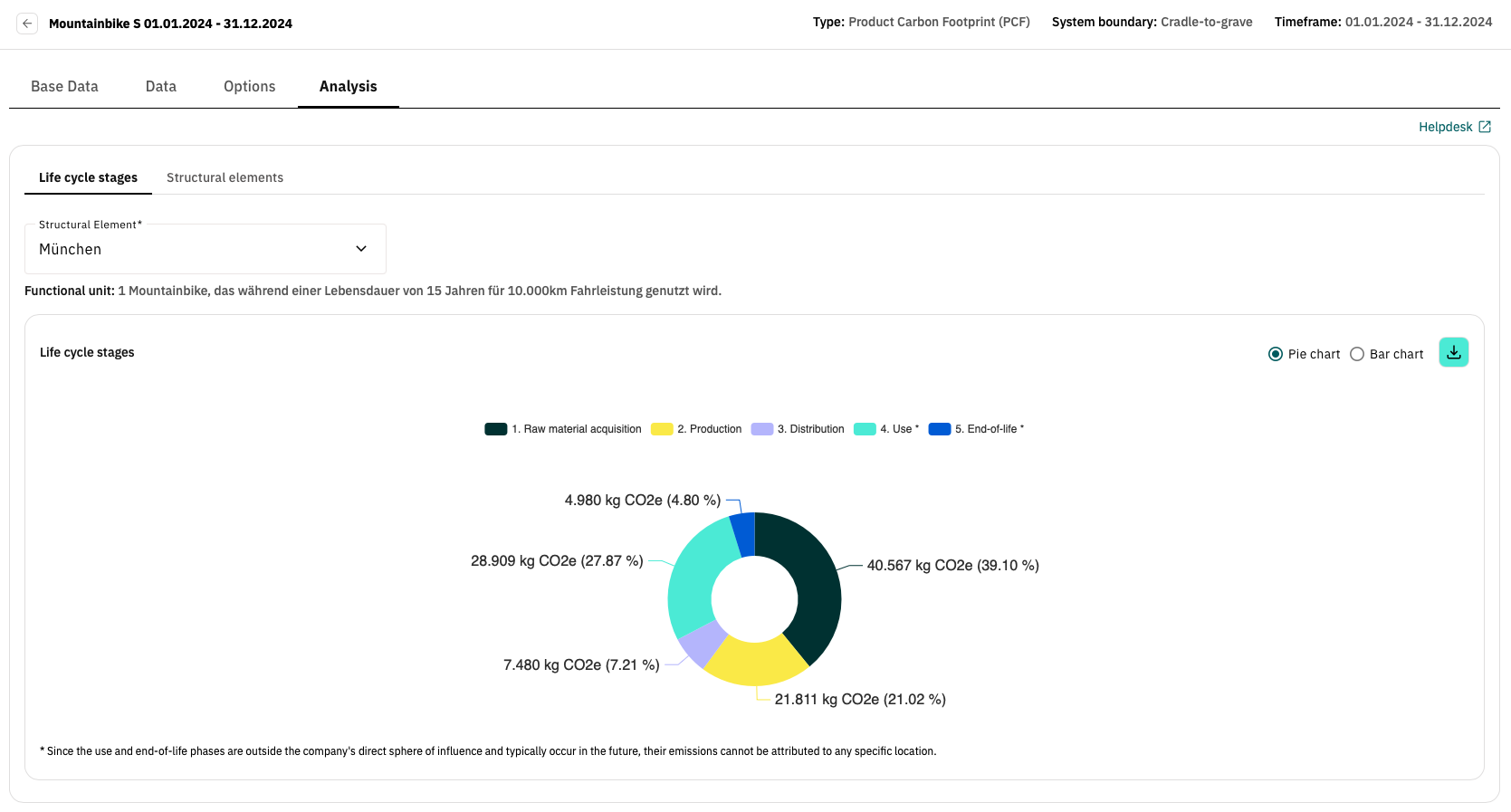
You can navigate between the different locations using the Structural element dropdown. As the use and end-of-life phases are location independent, the emissions of these phases are shown in all locations in the cradle-to-grave approach. A corresponding note is positioned below the graphic.
In the top right-hand corner, you can switch between a pie chart and a bar chart. You can also use the download arrow to download the graphic including the legend as an image.
Clicking on one of the stages allows you to take a more detailed look at the sub-stages. By clicking on one of the sub-stages, you can then access the individual activities that have been created in the corresponding sub-stage. The bar chart is particularly useful here, as all activities are listed clearly one below the other. You can use the navigation in the top left-hand corner of the box to return to the higher level.
Note: As the use and end-of-life phases have no sub-phases, clicking on one of the phases takes you directly to the activities of the corresponding phase.
Structural elements:
The Structural elements tab shows which structural element causes the highest emissions in which stage. Each structural element is displayed in a bar. Depending on your selected system boundary, either the two phases of raw material acquisition and production (cradle-to-gate) or all five phases (cradle-to-grave) are shown here. As the use and end-of-life phases cannot be assigned to a location, an additional location-independent bar is added for the cradle-to-grave approach. You can also download this graphic as an image using the download button in the top right-hand corner.
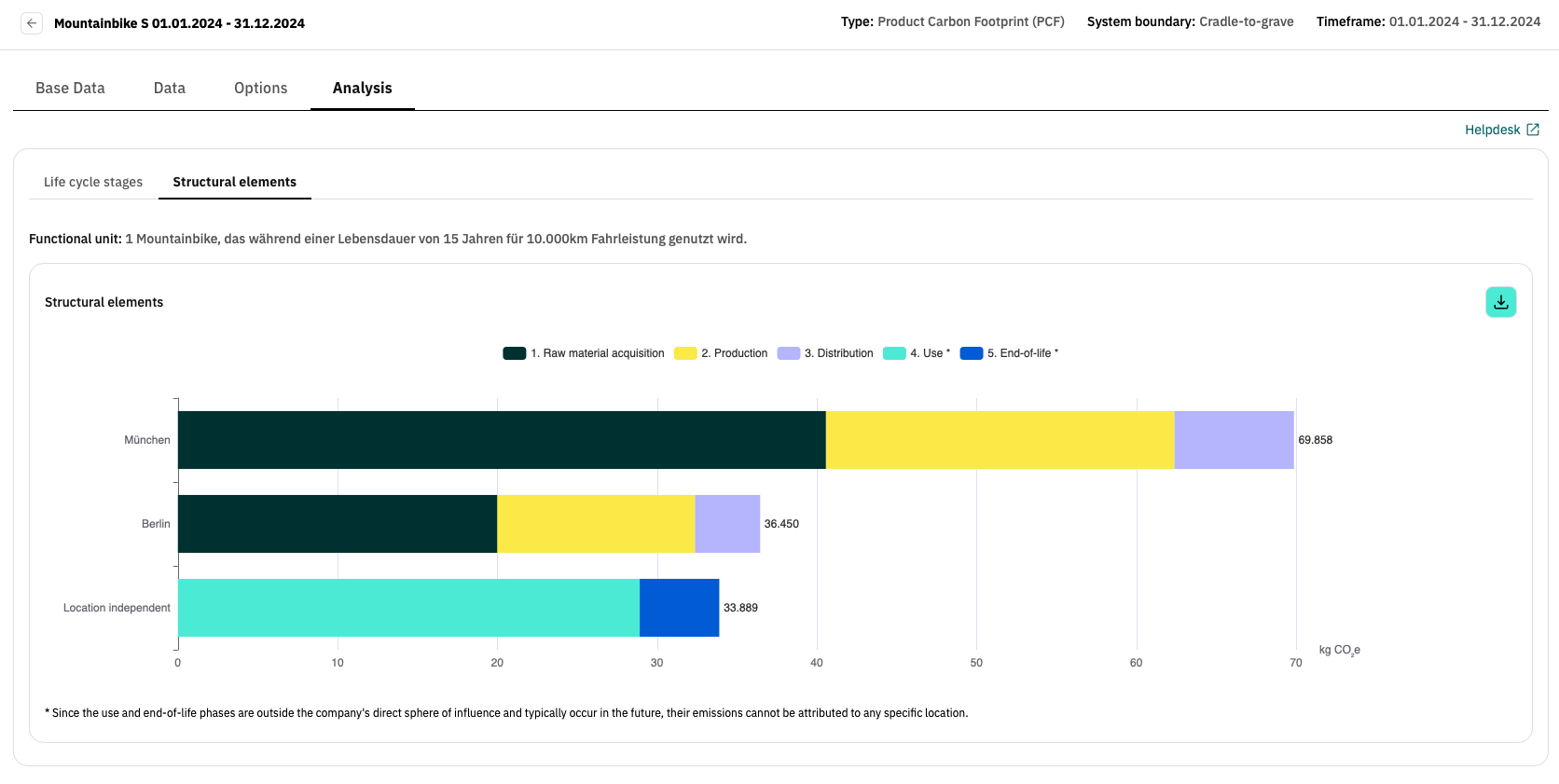
Clicking on one of the life cycle stages takes you down another level to the sub-stages of the corresponding stage. You can use the navigation in the top left-hand corner of the box to return to the higher level.