![VERSO_Logo-1.png]](https://helpdesk.verso.de/hs-fs/hubfs/Globale%20Design-Elemente/VERSO_Logo-1.png?height=50&name=VERSO_Logo-1.png)
TABLE OF CONTENTS
- I. How to see who can access your company profile
- II. Permission for users from your company to access your data
I. How to see who can access your company profile
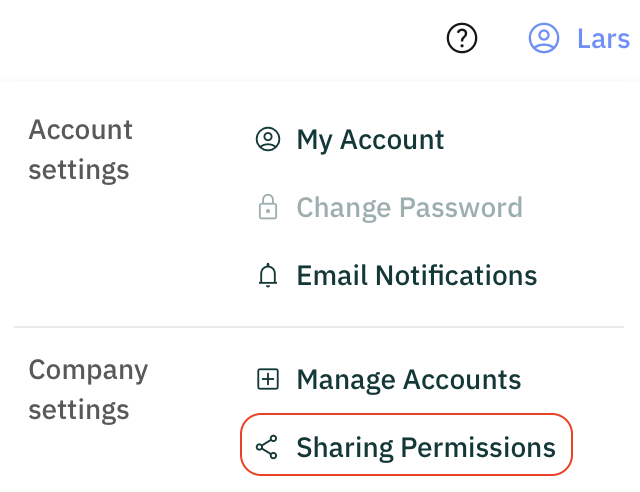
- Click on the user menu icon in the upper right corner of your screen (your name) and select "Sharing Permissions" from the drop-down menu.
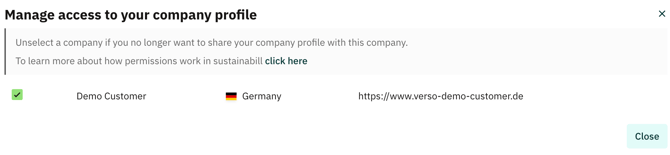
You will see a list of all companies which can access your data.
- Deselect the company/companies you do not want to share your data with anymore. This will withdraw permissions for ALL of your data.
We strongly recommend informing your customer before doing this.
Your customer will also be notified through the platform that you have revoked access to your data.
II. Permission for users from your company to access your data
The permission system also enables users of the same company to get either read-only permissions or full permission to modify the data of their own company.