![VERSO_Logo-1.png]](https://helpdesk.verso.de/hs-fs/hubfs/Globale%20Design-Elemente/VERSO_Logo-1.png?height=50&name=VERSO_Logo-1.png)
To upload your PPWR-relevant products, click on PPWR > Products.

1. Adding individual products
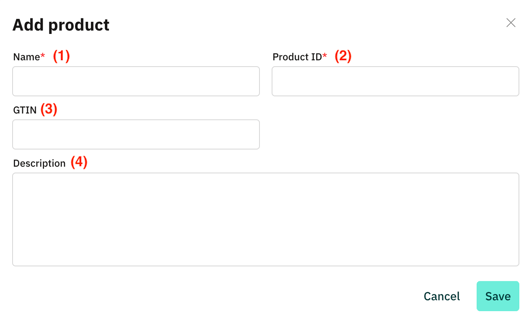
- Click on "Add product".
- Fill in the form. Enter a product name (1) and a product ID (2). Optionally, you can add the GTIN (3) and a description (4) of the product.
2. Bulk upload via Excel
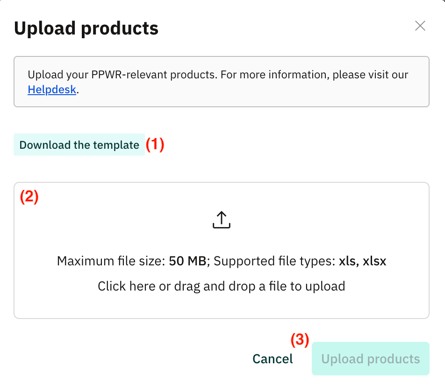
- Click on "Upload products".
- Click on "Download the template" (1) to download the Excel template.
- Fill in the Excel template. In the Read-Me tab, you will find detailed instructions on the columns to be completed.
- Then upload the completed template (2) and click on "Upload products" (3).