![VERSO_Logo-1.png]](https://helpdesk.verso.de/hs-fs/hubfs/Globale%20Design-Elemente/VERSO_Logo-1.png?height=50&name=VERSO_Logo-1.png)
As a reporting organisation, you must disclose your organisational structure in your sustainability report. This applies to legal entities, corporate structures (e.g. subsidiaries) and the governance structures relevant to sustainability oversight. This disclosure provides clarity on how responsibilities and decision-making regarding sustainability issues are distributed within your organisation.
Before you record your sustainability data in a structured manner, you will need to map out your business units individually as ‘entities’ under the ‘Organise’ menu item and establish the relationships between them. Each unit (= entity) can be either a root entity, a legal entity or a location/branch.
Please map out your company’s business structure exactly as it appears in your current organisational hierarchy by adding all units individually and defining the relationships between them. Each unit can have its own report; you can also aggregate units into a single report.
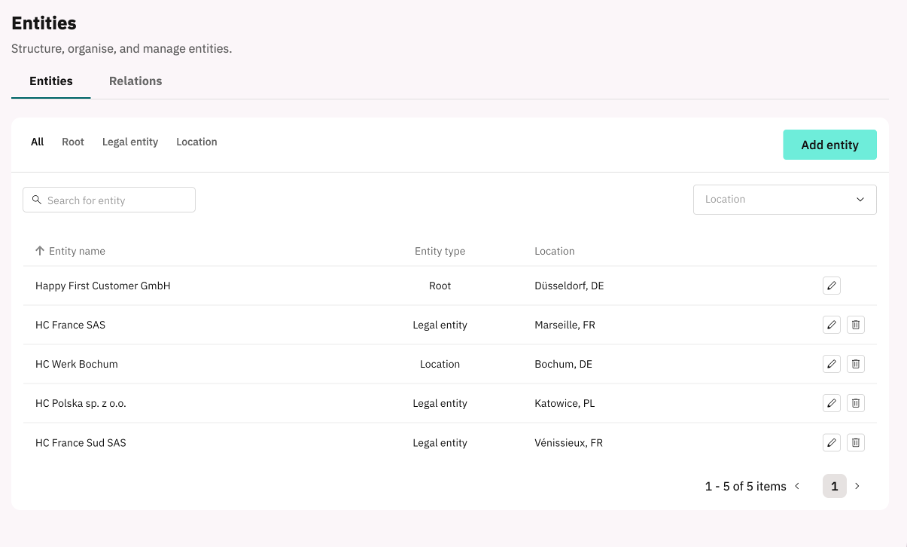
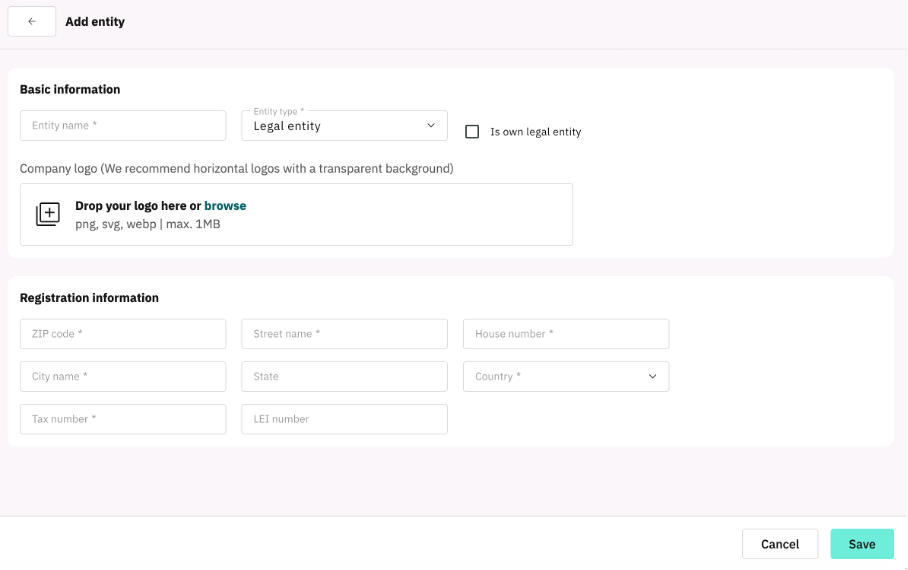
In the menu on the left, click on ‘Organise’ and ‘Entities’, then click on ‘Add entity’ and fill in the required information. Please then save your changes. The entity will appear as a single row in the ‘Entities’ overview.
Overview ‘Entities’
Sceenshot ´Add Entity´
In the next step, add the relationships between the entities you have created by selecting the ‘Relationships’ tab in the overview and clicking ‘Create Relationship’. You can then specify the type of relationship and the percentage ownership stakes in the respective entities.
Sceenshot ´Relations´
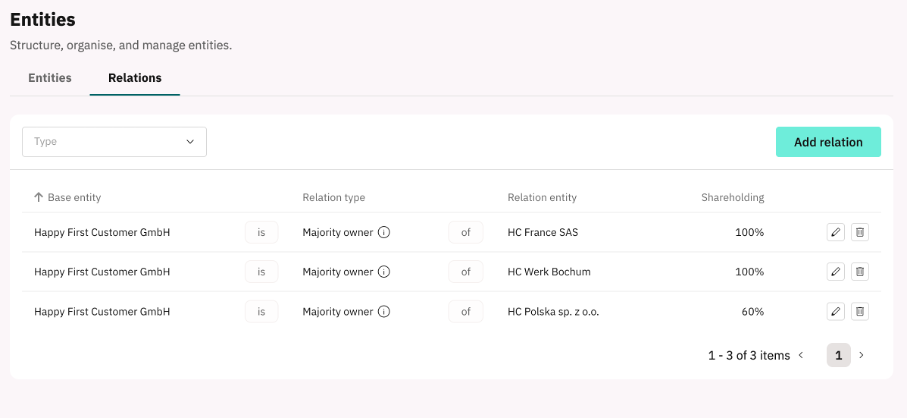
Use the pencil icon to edit the entries later, or the bin icon to delete them.