![VERSO_Logo-1.png]](https://helpdesk.verso.de/hs-fs/hubfs/Globale%20Design-Elemente/VERSO_Logo-1.png?height=50&name=VERSO_Logo-1.png)
Configure SETs
Once you have mapped your business units under ‘Organise’, you can configure the units to be reported on as SETs.
Please create a separate (single) SET for each business unit under ‘Configure’. To do this, click the ‘Add SET’ button and enter the required information (name of the SET, address, reporting period, etc.).
Add a single SET
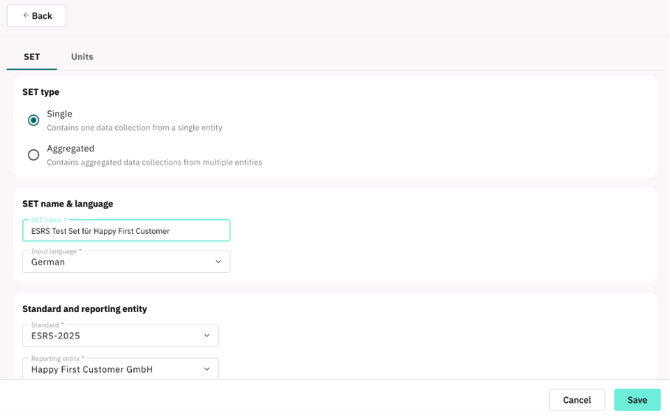 Once a single SET has been created for each unit, you can - in the next step - create an aggregated SET and consolidate the individual units beneath it. To do this, please select the top-level hierarchy on the basis of which you wish to consolidate the data for all the individual units below it.
Create an aggregated SET
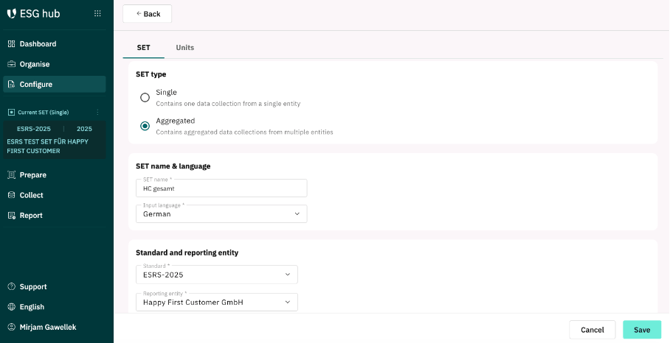
Create an aggregated SET for this reporting entity by clicking the ‘Add SET’ button. To do this, select the units below that you wish to consolidate in this report, as shown in the figure below.
Consolidation
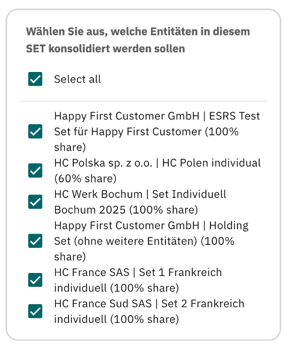
Each unit to be consolidated must first have been created as an individual SET; otherwise, it cannot be selected during aggregation. It is also advisable to ensure that the reporting periods of the individual units to be consolidated match those of the consolidated SET.
The SETs you have created now appear in a list under ‘Configure’ and can still be edited or deleted here.
List of created SETs
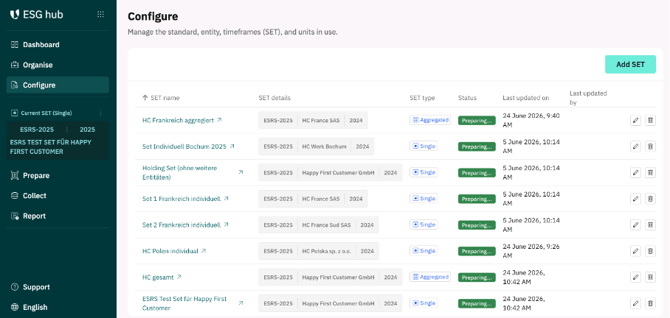
For greater clarity, the SET you are currently configuring is always displayed on the left-hand side of the menu. You can also select from the available SETs by clicking on the three dots below the created SETs.
--------------------------------------------------------------------------------------------------------------------------------------------
Configure Units
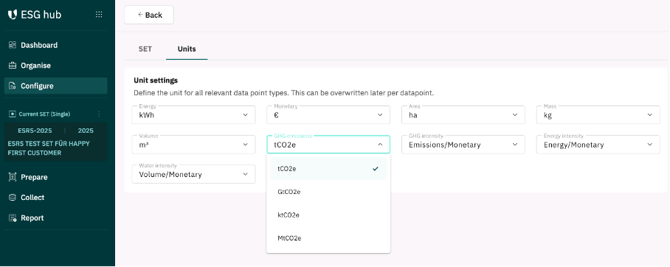
For each individual SET, as well as for each consolidated SET, the units of measurement for the data to be collected can be customised for each data point. This is particularly useful if you operate in different countries where the standard units of measurement differ.
Under the ‘Units’ section, you can either use the units of measurement specified by default or change the data point types to different units of measurement during configuration in each SET for data collection. You define the units for all relevant data point types (e.g. GHG emissions, energy, monetary, mass, volume, …) here and can also adjust them individually for each data point if required.
Change units of measurement
Note: Please check that the unit settings (particularly for aggregated SETs) are correct before you start collecting data for them.