![VERSO_Logo-1.png]](https://helpdesk.verso.de/hs-fs/hubfs/Globale%20Design-Elemente/VERSO_Logo-1.png?height=50&name=VERSO_Logo-1.png)
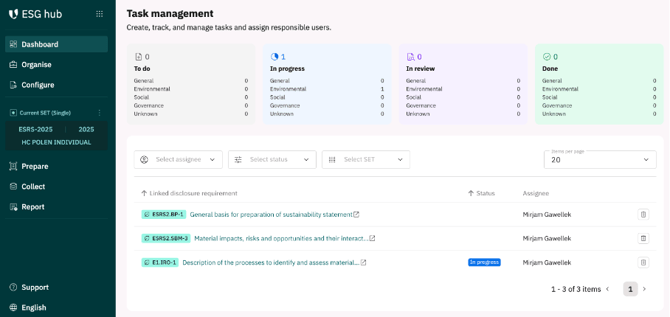
The dashboard provides an overview of the processing status of your current data collection.
You can see at a glance which tasks (i.e. data point collection) have been assigned to which staff member and what the current status is. Each user (= roles: creator or contributor) can access the relevant data points individually under the ‘Collect’ section, edit them and change their status (’open’ (by default), ’ in progress’, ’in review’ and ’ done’).
Dashboard and Task Management
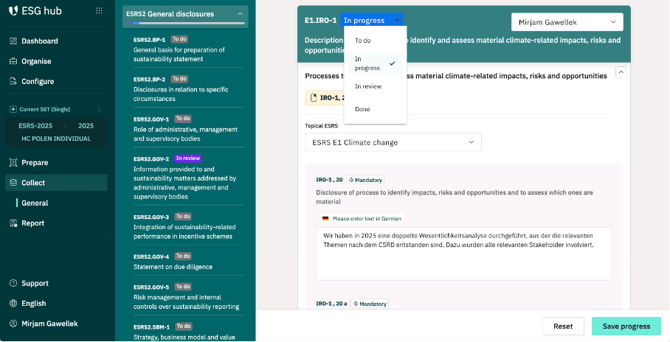
Please change the status manually using the selection button for the relevant data point under the ‘collect’ section, as shown in the illustration.
Status Setting in ´Collect´
To find out how to change the role of individual staff members, please refer to the article ‘Organise I Users’ in this helpdesk.