![VERSO_Logo-1.png]](https://helpdesk.verso.de/hs-fs/hubfs/Globale%20Design-Elemente/VERSO_Logo-1.png?height=50&name=VERSO_Logo-1.png)
Once you have fully completed your data collection, you can generate a report automatically via the ‘Reports’ menu item.
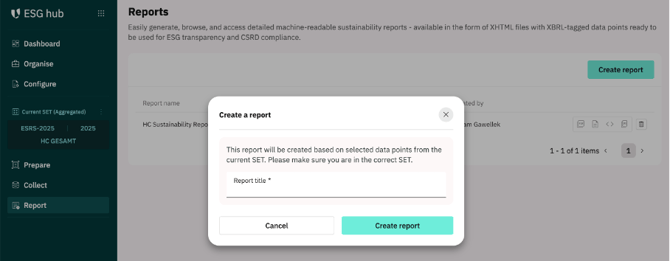
Please ensure beforehand that you have selected the correct SET so that the report accesses the data contained in that particular SET. For consolidated reports, please select your relevant aggregated SET.
Then click on the ‘Create report’ button and give your report a suitable title.
Create a report
The automated report will then appear in your list under ‘Reports’. You can then download it in various formats (such as PDF, Word, etc.) using the buttons provided.