![VERSO_Logo-1.png]](https://helpdesk.verso.de/hs-fs/hubfs/Globale%20Design-Elemente/VERSO_Logo-1.png?height=50&name=VERSO_Logo-1.png)
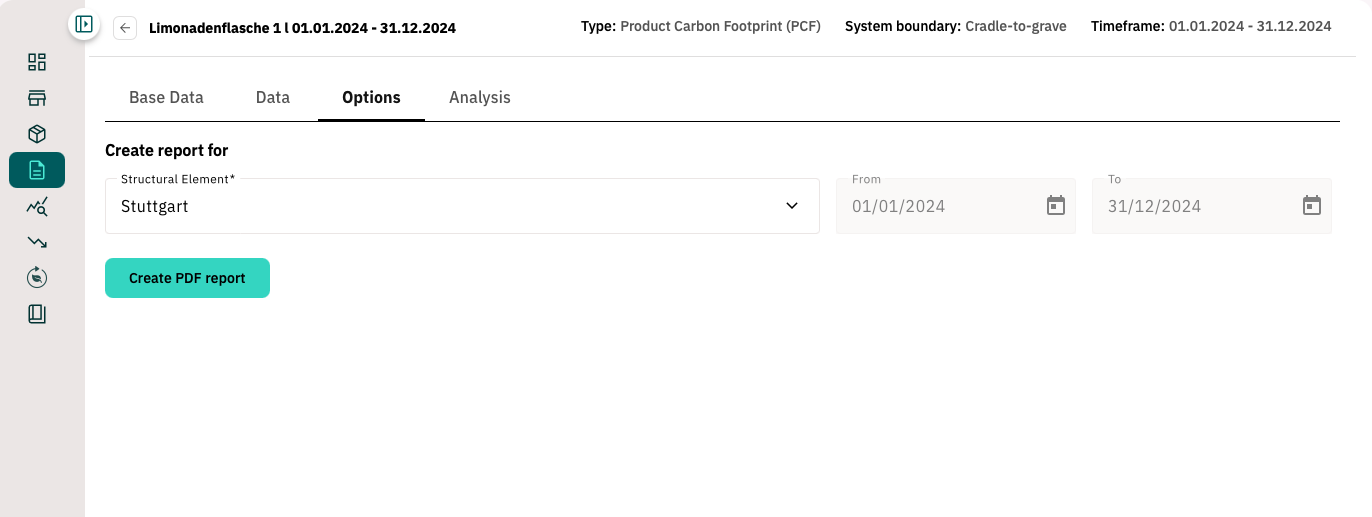
You can now create PDF reports directly via the new ‘Options’ tab. This area will serve as a central hub for important functions in Climate Hub and will be expanded to include additional features in the future.
How to create a PDF report:
- Go to the ‘Options’ tab.
- Select the desired structural element (location or organisational unit) from the drop-down menu.
- Click on ‘Create PDF report’ to generate the report.
- Then save the report locally on your device using ‘Save as’.